Domain Release: Fixing a "Domain In Use" Error
You may hit this when you tried to set up Google Workspace on Google's site first — for example, a local card blocked the international charge and left the domain in a pending state in Google's system. When you later try to subscribe on Mercurie, checkout can fail with a message that the domain is already in use.
This is a common blocker, and it is fixable.
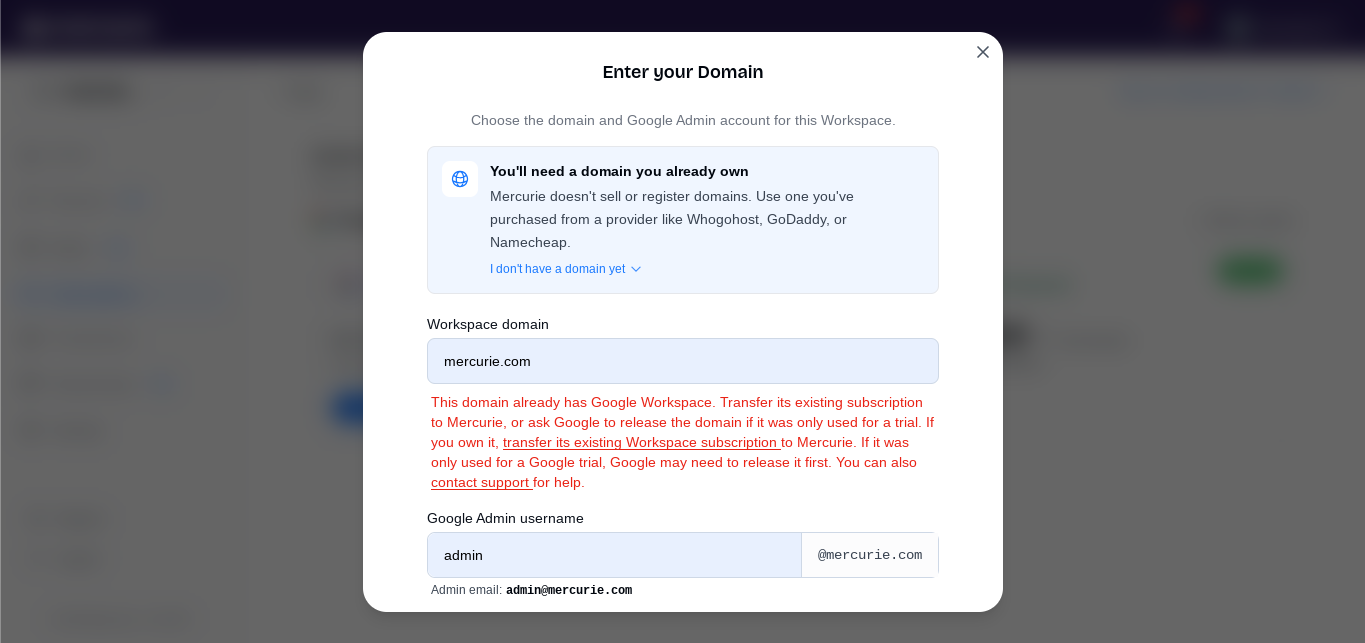
Already on Workspace elsewhere? If the domain is on an active Google Workspace account you control and you want Mercurie billing, use the transfer flow instead of a domain release.
How to request a domain release
If you need the domain cleared so you can buy on Mercurie:
- Open Google's Domain in use recovery form.
- Enter the domain that failed signup and follow Google's steps (including any DNS verification they ask for).
- After Google processes the request — often within a few days — you should get an email confirming the domain is cleared.
- Return to Mercurie and buy a new Google Workspace subscription with that domain.
The 14-day automatic fallback
If you prefer not to use the form, Google's automated cleanup can clear a failed pending signup after 14 days from the day you attempted the failed direct payment on Google.
On the 14th day, Google typically drops the domain from that pending queue. You can then complete checkout on Mercurie — including eligible new-subscription discounts such as the first-year annual offer when it applies at checkout.
Need help tracking the release?
If you are unsure whether the domain is free yet, open the support form from your Mercurie dashboard (or email support@mercurie.ng) with:
- The domain name
- Roughly when you tried to sign up on Google
- Whether you already submitted Google's domain-in-use form
Support can help you track status and confirm when you are clear to subscribe again.